Notes in. A checklist back.
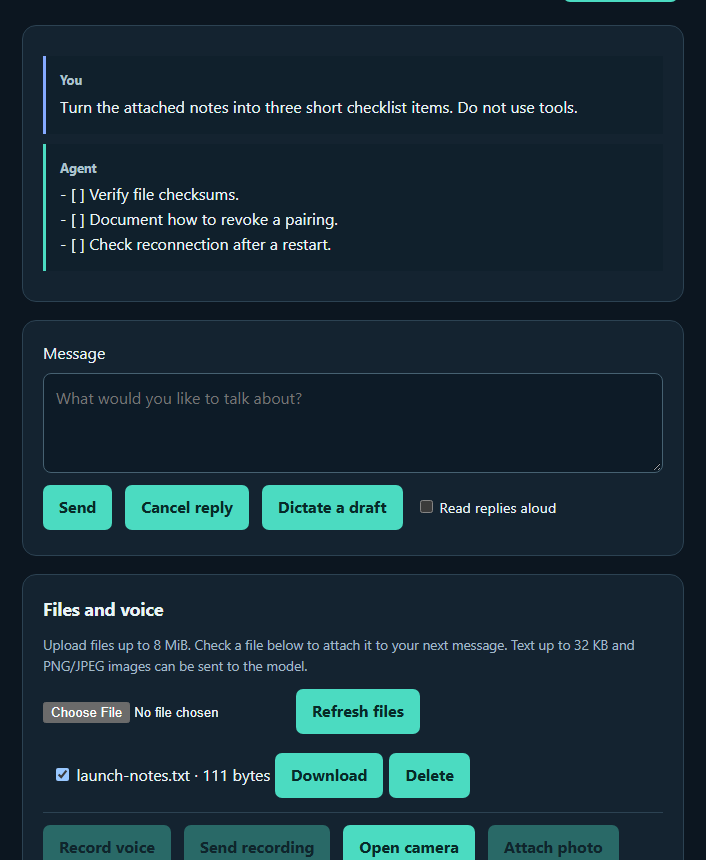
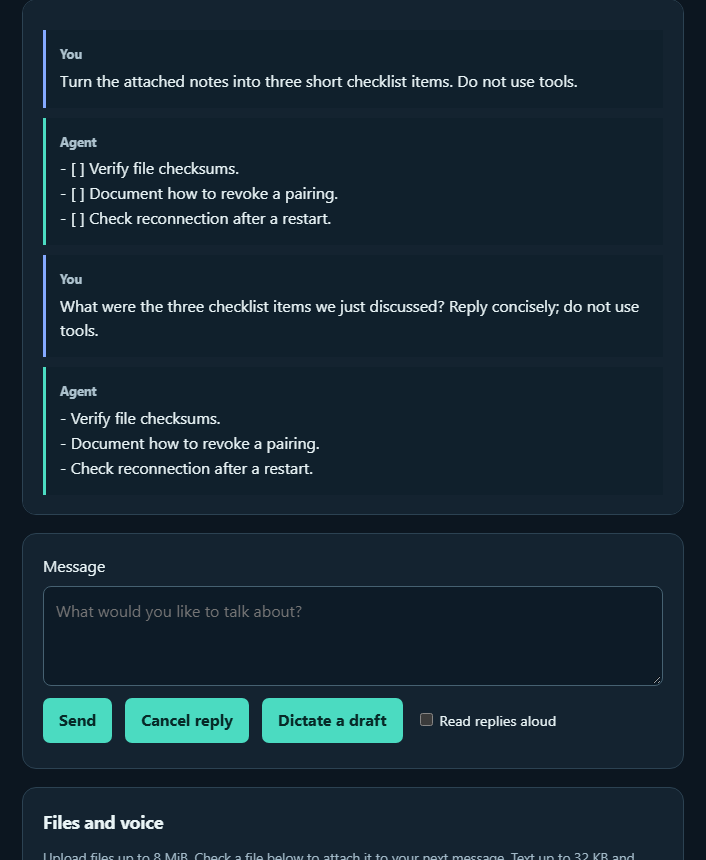
Send a selected file to your background agent, download it again, and continue the conversation after reconnecting.
This silent walkthrough uses the browser client connected to a running Codex background agent.
View screenshots: selected notes and checklist ? follow-up after reconnecting.
Try it yourself
- Pair the browser using a fresh invitation from your running agent.
- Upload a text file with these notes: verify file checksums; document how to revoke a pairing; check reconnect after a restart.
- Leave that file checked and ask: “Turn the attached notes into three short checklist items.”
- Click Download beside the file to retrieve it. The client verifies its SHA-256 checksum.
- Disconnect, reconnect with the saved pairing, then ask: “What were the three checklist items we just discussed?”
Your pairing keeps its own Codex conversation. Keep the agent computer awake. Read setup instructions to start your agent.